
Renewly quick start
Renewly · Renewals & due-dates tracker · v1.2
Renewly keeps your subscriptions, bills and EMIs, and mobile recharges in one list, shows what is due next, and moves each date on when you pay. These short steps get you going.
Plans
- Lite · Free. Everything for tracking renewals, on one device: Home, Calendar, All items, Recharges, Paid with Undo, PIN lock, CSV export, backup and restore.
- Pro · ₹149 once ($9 outside India). Adds Add to my calendar with alarms, sync across your devices through a private sync sheet we set up for you, and Add another device by QR code.
1Add your first renewal
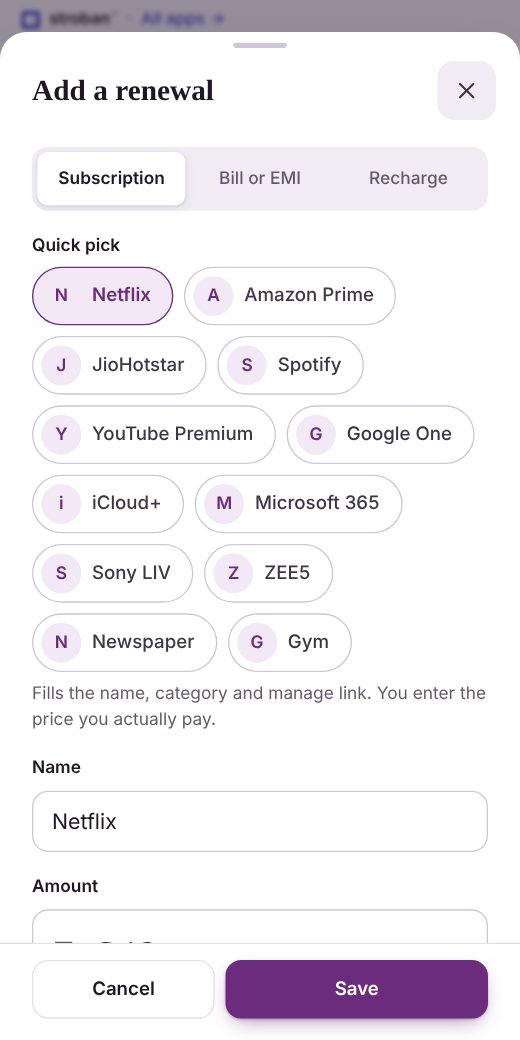
- Tap Add. Choose Subscription, Bill or EMI, or Recharge.
- Tap a Quick pick to fill the name, category and manage link, or type your own name.
- Enter the Amount you actually pay, how often (Every), and the Next due date.
- Choose when to Remind me, then tap Save.
Auto-pay, a free trial, a cancel-by date and notes sit under More.
2Mark it paid
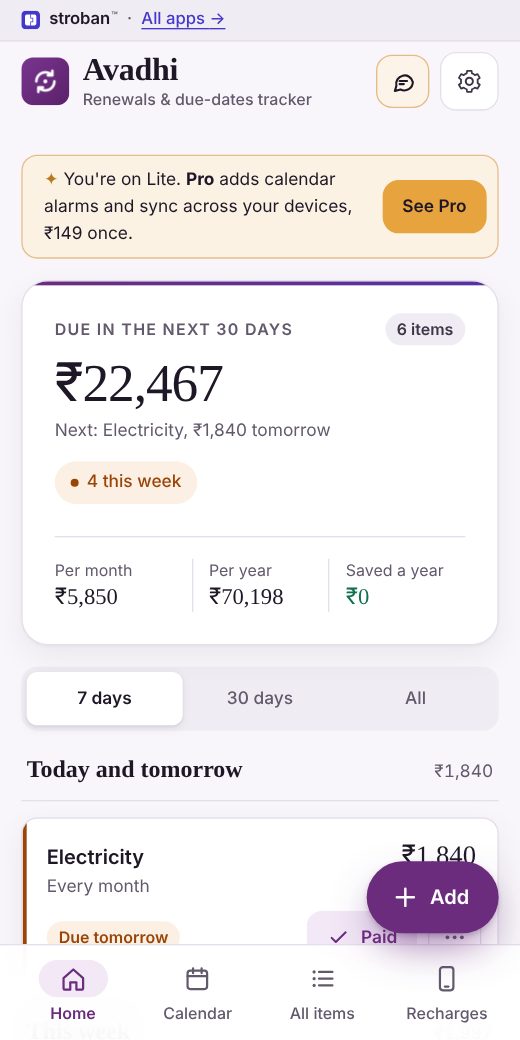
Home lists what is due next: Overdue, Today and tomorrow, This week and later. The card at the top shows what is due in the next 30 days.
- When you pay, tap Paid (or Recharged). The date moves on to the next cycle and the payment is kept.
- Tapped by mistake? Tap Undo in the message at the bottom.
- Paid a different amount? Open the item and choose Paid a different amount.
3See the month
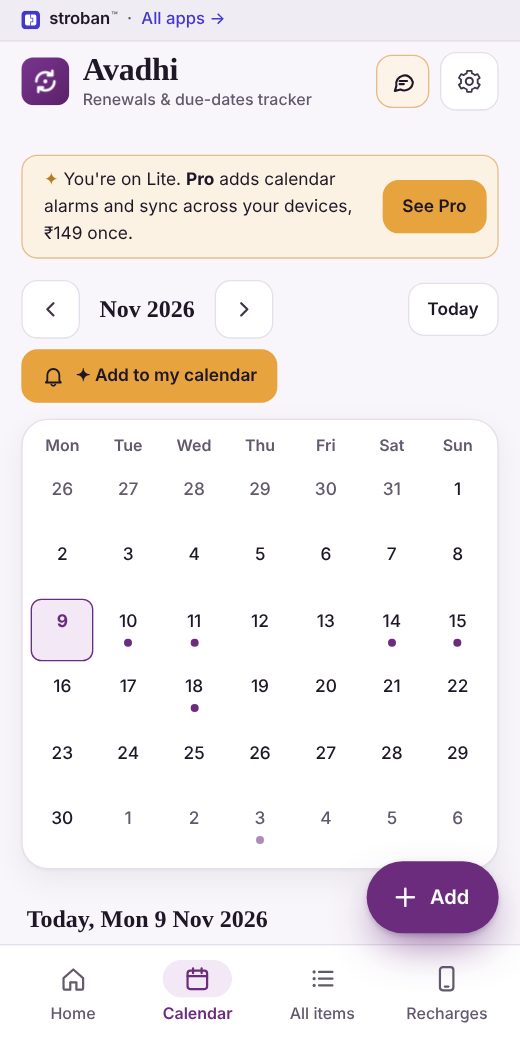
Open Calendar for a month at a glance. Each dot is something due, with the day's total underneath. Tap a day to see what is due on it.
All items lets you search, filter by type and sort by Next due, Largest a year or A–Z.
4Mobile recharges
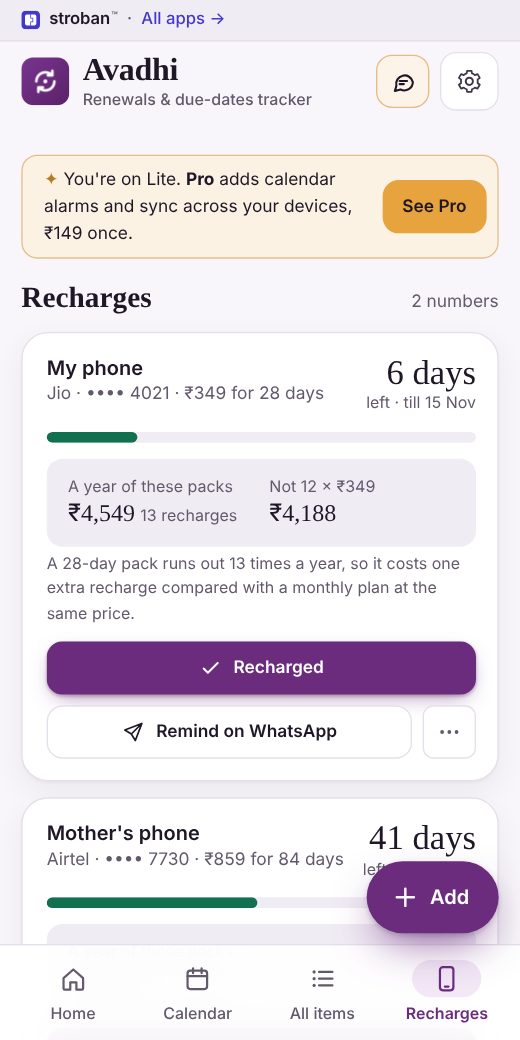
Add each prepaid number you look after as a Recharge, with the pack price and Valid till date from your operator's app or SMS. Only the last 4 digits of a number are kept.
Recharges shows the days left and what a year of packs costs. A 28-day pack runs out 13 times a year, so it costs one extra recharge compared with a monthly plan.
5Install Renewly
- Android and computers: tap Install in the bar at the top, or open Settings → Install on this device.
- iPhone: in Safari, tap Share, then Add to Home Screen.
Renewly then opens full screen from your home screen and works offline.
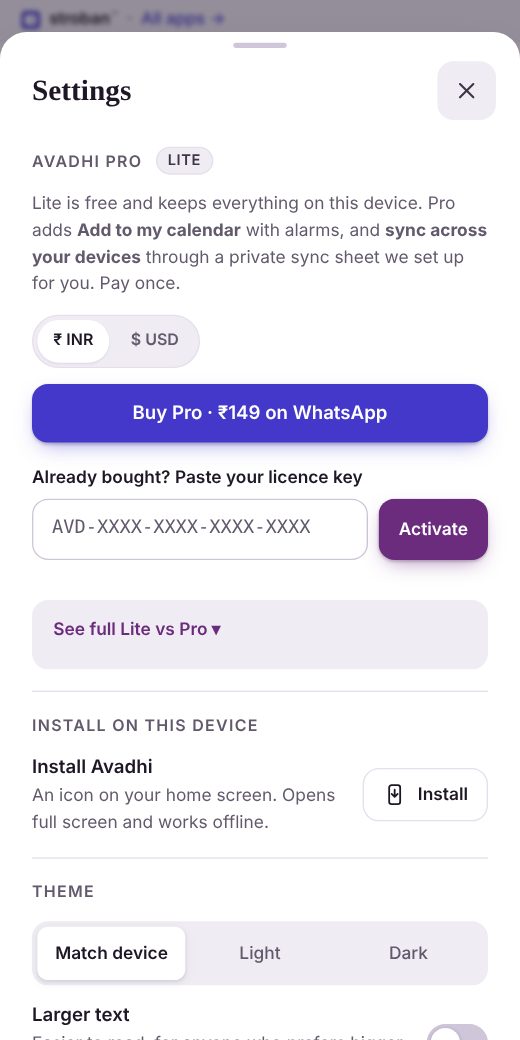
6Activate Renewly Pro✦ Pro
- Tap See Pro on Home, then Buy Pro · ₹149 on WhatsApp (outside India: $9, and we send you a payment link).
- Your licence key (it starts with AVD-) arrives by email from hello@stroban.app.
- Open Settings, paste the key under Renewly Pro and tap Activate. The badge changes from Lite to Pro.
To turn Pro off on one device, use Deactivate in Settings. Your key stays valid.
7Add to my calendar✦ Pro
In Calendar, tap Add to my calendar and open the file it saves. Every renewal for the next 12 months goes into your phone's calendar, with an alarm at 9 am on each reminder day.
- iPhone and Outlook keep the alarms.
- Google Calendar adds the dates with your usual notification.
- The file does not update by itself: add it again after you change dates.
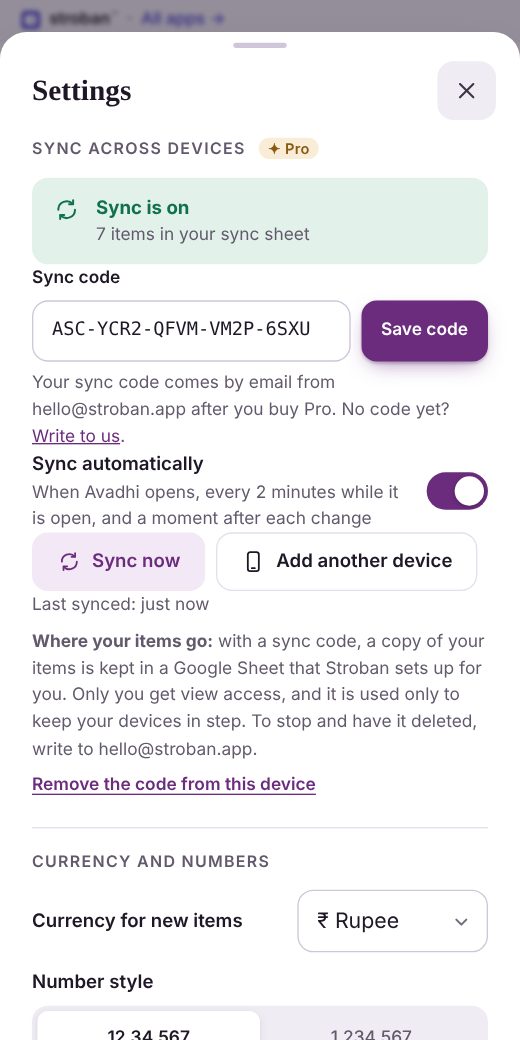
8Sync across devices✦ Pro
- After you buy Pro, we set up your private sync sheet and email your sync code (it starts with ASC-).
- In Settings → Sync across devices, paste the code and tap Save code. The box turns green: Sync is on.
- From then on, each change syncs a moment later. Sync now does it at once.
Your sync sheet is a Google Sheet that only you can view, so you can see or download your renewals any time.
9Add another device✦ Pro
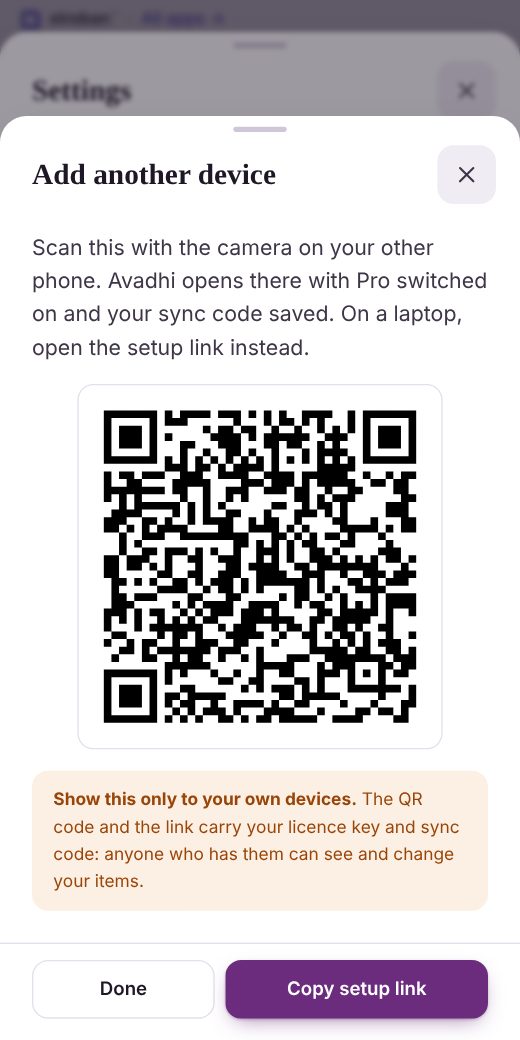
- On the device that is set up, open Settings → Add another device.
- Scan the QR code with your other phone's camera. Renewly opens there, asks Set up this device?, and brings in your items.
- On a laptop, tap Copy setup link and open the link there.
Show the code only to your own devices: it carries your licence key and sync code.
Good to know and help
- Where are my items kept?
- On your device. With Pro and a sync code, a copy is also kept in a Google Sheet that Stroban sets up for you. Only you get view access, and it is used only to keep your devices in step. To stop and have it deleted, write to hello@stroban.app.
- Back up
- Settings → Backup and your data → Save backup saves a file you can restore with Restore backup. Export CSV opens in any spreadsheet.
- Keep it private
- Set a PIN lock in Settings, and switch on Hide amounts when someone is looking at your screen.
- Cancelled something?
- Open it and choose I cancelled it. Renewly keeps the record and counts what you save a year. This does not cancel anything with the service itself.
- Something isn't right, or you have an idea?
- Tap Feedback at the top of Renewly. If we fix a bug you report or use your idea, you get 50% off. You can also write to hello@stroban.app.
- "It looks old" after an update
- Check the version at the bottom of Renewly. Close the app and open it again, or reload the page.